


Components
Slider
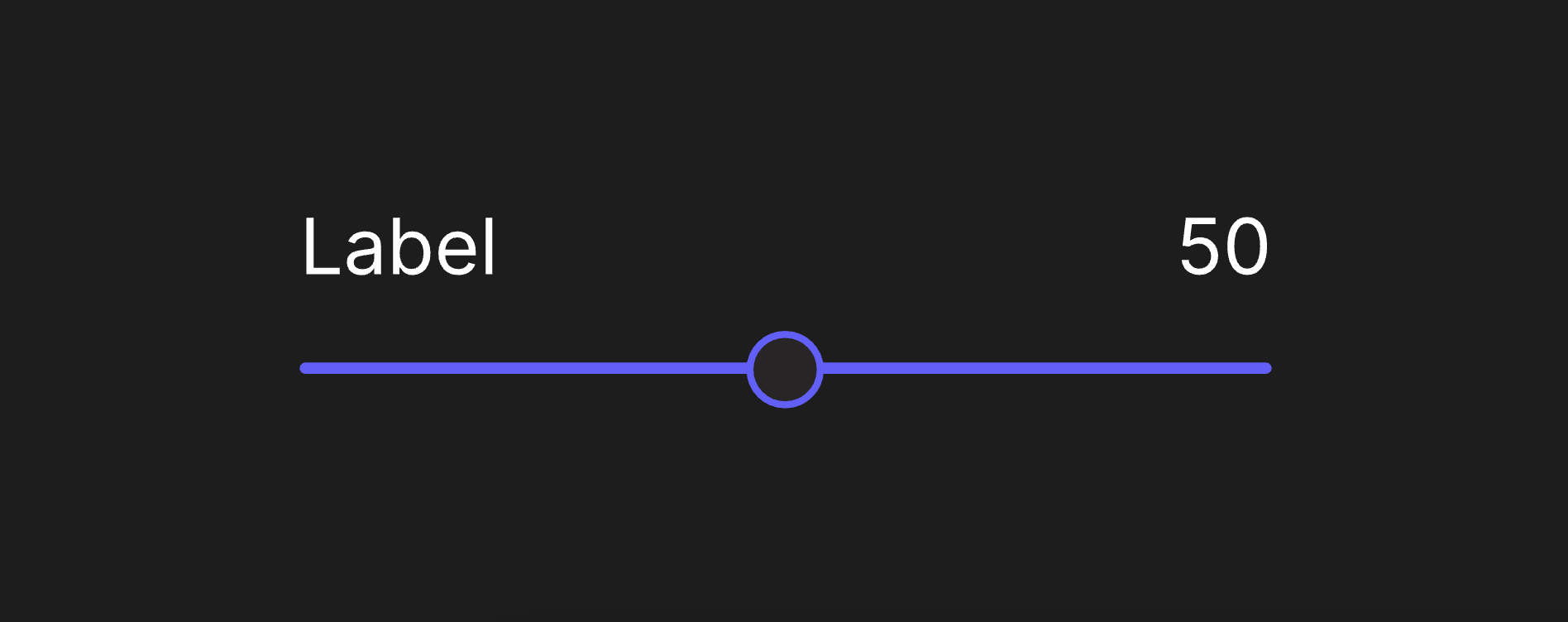
A slider allows users to make selections from a range of values. This slider is fully data-driven and responsive, working across various layout setups without manual adjustment or remapping.
Viewmodels
SliderVM
controlArtboardartboardDetermines which artboard is used to visualize the component's state.
labelArtboardartboardDetermines which component is used for the Label.
valueDisplayArtboardartboardDetermines which component is used to display the current value of the slider.
cursorBoundsStartnumberThe x position value of the starting boundary for the slider's control.
cursorBoundsEndnumberThe x position value of the end boundary for the slider's control.
defaultValuenumberThe initial value of the slider when rendered.
minValuenumberThe minimum value of the slider.
maxValuenumberThe maximum value of the slider.
sliderValuenumberThe current display value of the slider.
normalizedValuenumberThe current normalized value of the slider.
labelstringSpecifies the localized strings that identifies the slider.
sliderWidthnumberThe width of the layout containing the slider.
cursorPosnumberThe position of the cursor.
disabledbooleanDetermines whether the slider is disabled.
hoverbooleanIndicates when the pointer overlaps with the Slider.
directionEnumDetermines the Slider's left-to-right alignment.
Hierarchical Structure
slider_component
- Root - The Root of the component.
- TopRow - A Layout containing the label and value of the Slider on either end.
- Label - A Layout containing the Label Artboard.
- A component instance of labelArtboard.
- Value - A Layout containing the Value Display Artboard. All pointer functionality targets this layout.
- A component instance of valueDisplayArtboard.
- Label - A Layout containing the Label Artboard.
- Control - A Layout containing the Control Artboard. All pointer functionality targets this layout.
- A component instance of controlArtboard.
- Joystick - A joystick used to control the slider. The x position of its handle determines value.
- TopRow - A Layout containing the label and value of the Slider on either end.
- CursorDebug - A constrained shape used to debug the cursor position. It drives cursorPos.
- SliderValueMapper - A script that synchronizes cursorBoundsStart, cursorBoundsEnd, defaultValue, minValue, maxValue, cursorPos, sliderValue and normalizedValue. It ensures data can flow bidirectionally, controlled by viewmodel properties or by user input.
thumb_control
- Root - The Root of the component.
- Thumb - A Group containing the shapes for the thumb. This group has a Follow Path constraint that targets Bar Path, with its distance property determined by value.
- Circle - A shape visualizing the Slider's thumb.
- Bar - A layout that acts as the Slider's bar.
- N-Slice Group - Used to extend Bar Path across the layout, ensuring the slider functions at any width.
- Bar Path - A Path drawing a horizontal line.
- N-Slice Group - Used to extend Bar Path across the layout, ensuring the slider functions at any width.
- Thumb - A Group containing the shapes for the thumb. This group has a Follow Path constraint that targets Bar Path, with its distance property determined by value.
Animations
This component contains three pairs of animations, each on their own layer.
- Disabled
- DisabledTrue - Indicates the Slider cannot be interacted with. Plays if (disabled = true).
- DisabledFalse - Indicates the Slider can be interacted with. Plays if (disabled = false).
- Hover
- HoverTrue - Indicates the pointer overlaps with the Slider. Plays if (hover = true) and (disabled = false).
- HoverFalse - Indicates the pointer does not overlap with the Slider. Plays if (hover = false).
text_label
- Root - The Root of the component.
- Text Layout - A Layout containing a Text Element.
- Text - A text element. The value of its Text Run is bound to label.
- Text Layout - A Layout containing a Text Element.
text_value_display
- Root - The Root of the component.
- Text Layout - A Layout containing a Text Element.
- Text - A text element. The value of its Text Run is bound to value.
- Text Layout - A Layout containing a Text Element.
Best Practices
- This slider is built to prioritize responsiveness and compatibility with layouts. Should you decide to create a new control artboard for it, you'll need to make use of constraints, bones, and/or N-Slice Groups. Hard-coded transforms will not work with this setup.
- Use normalizedValue when controlling the value of the slider via the ViewModel property. Updating sliderValue will only update the display, which can be overriden when normalizedValue changes.