


Components
Stepbox
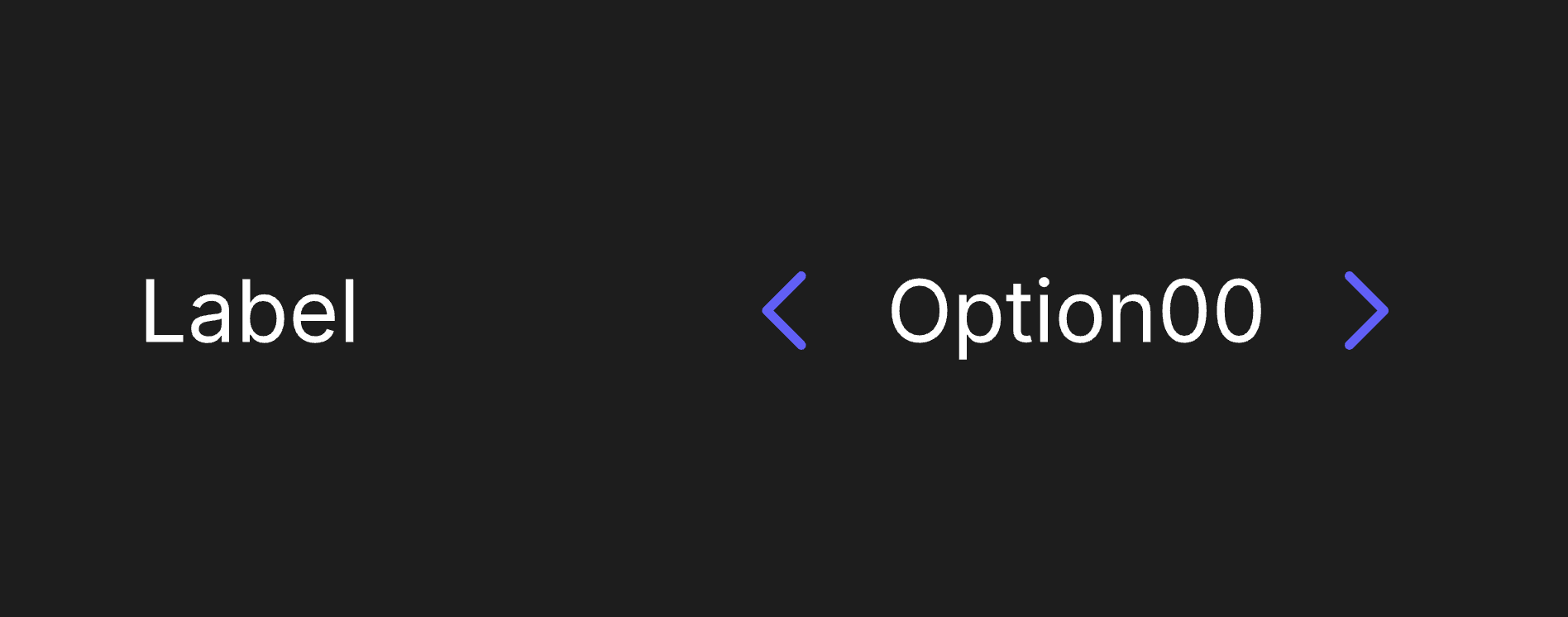
A Stepbox component allows users to cycle between options from predefined options.
Viewmodels
StepboxVM
loopItemsbooleanDetermines whether selectedItemIndex loops to first item or clamps when it reaches the bounds.
selectedItemIndexnumberThe index of the currently selected option in the component.
itemCountnumberThe total number of items in options.
optionslistContains a list of all available options in the component.
labelArtboardartboardDetermines which component is used for the Label.
decrementControlArtboardartboardDetermines which artboard is used to visualize the decrement button.
incrementControlArtboardartboardDetermines which artboard is used to visualize the increment button.
labelstringSpecifies the localized strings that identifies the component.
hoverbooleanIndicates when the pointer overlaps with the component.
disabledbooleanIndicates when the component is disabled.
directionEnumDetermines the component's left-to-right alignment.
StepboxOptionVM
listIndexnumberThe index of the item.
labelstringSpecifies the localized strings that identifies the option.
Hierarchical Structure
stepbox_component
- Root - The Root of the component.
- Label - A Layout containing the Label Artboard.
- A component instance of labelArtboard.
- Control - A Layout containing the Control and value of the Stepbox. All pointer functionality targets this layout.
- Decrement - A Layout containing the Decrement Control artboard.
- A component instance of decrementControlArtboard.
- Option - A Layout containing the Value Display Artboard. All pointer functionality targets this layout.
- An Artboard List of options. The artboard in use is option_display_item.
- Increment - A Layout containing the Increment Control artboard.
- A component instance of incrementControlArtboard.
- Decrement - A Layout containing the Decrement Control artboard.
- Label - A Layout containing the Label Artboard.
- IndexManager - A script that manages selectedItemIndex. If (loopItems = true), selectedItemIndex will loop around once it goes beyond the range of itemCount. If (loopItems = false), selectedItemIndex will be clamped within the bounds of itemCount.
arrow_decrement_control
- Root - The Root of the component.
- A group containing a shape. This prevents the shape from being distorted by its parent layout.
- A shape representing an arrow.
- A group containing a shape. This prevents the shape from being distorted by its parent layout.
Animations
This component contains three pairs of animations, each on its corresponding layer.
- Disabled
- DisabledTrue - Indicates the Stepbox cannot be interacted with. Plays if (disabled (StepboxVM) = true).
- DisabledFalse - Indicates the Stepbox can be interacted with. Plays if (disabled (StepboxVM) = false).
- Hover
- HoverTrue - Indicates the pointer overlaps with the Stepbox. Plays if (hover (StepboxVM) = true) and (disabled (StepboxVM) = false).
- HoverFalse - Indicates the pointer does not overlap with the Stepbox. Plays if (hover (StepboxVM) = false).
- Invalid
- InvalidFalse - Indicates the Stepbox is not at bounds. This animation plays under two conditions:
- If (selectedItemIndex ≠ 0) and (loopItems = false).
- If (loopItems = true).
- InvalidTrue - Indicates the Stepbox is at bounds. Plays if (selectedItemIndex = 0) and (loopItems = false).
- InvalidFalse - Indicates the Stepbox is not at bounds. This animation plays under two conditions:
arrow_increment_control
- Root - The Root of the component.
- A group containing a shape. This prevents the shape from being distorted by its parent layout.
- A shape representing an arrow.
- A group containing a shape. This prevents the shape from being distorted by its parent layout.
Animations
This component contains three pairs of animations, each on its corresponding layer.
- Disabled
- DisabledTrue - Indicates the Stepbox cannot be interacted with. Plays if (disabled (StepboxVM) = true).
- DisabledFalse - Indicates the Stepbox can be interacted with. Plays if (disabled (StepboxVM) = false).
- Hover
- HoverTrue - Indicates the pointer overlaps with the Stepbox. Plays if (hover (StepboxVM) = true) and (disabled (StepboxVM) = false).
- HoverFalse - Indicates the pointer does not overlap with the Stepbox. Plays if (hover (StepboxVM) = false).
- Invalid
- InvalidFalse - Indicates the Stepbox is not at bounds. This animation plays under two conditions:
- If (selectedItemIndex = itemCount - 1) and (loopItems = false).
- If (loopItems = true).
- InvalidTrue - Indicates the Stepbox is at bounds. Plays if (selectedItemIndex = itemCount - 1) and (loopItems = false).
- InvalidFalse - Indicates the Stepbox is not at bounds. This animation plays under two conditions:
text_label
- Root - The Root of the component.
- Text Layout - A Layout containing a Text Element.
- Text - A text element. The value of its Text Run is bound to label (StepboxVM).
- Text Layout - A Layout containing a Text Element.
text_option_label
- Root - The Root of the component.
- Text Layout - A Layout containing a Text Element.
- Text - A text element. The value of its Text Run is bound to label (StepboxOptionVM).
- Text Layout - A Layout containing a Text Element.
option_display_item
- Root - The Root of the component.
- A component instance of text_option_label.
Animations
This artboard contains a pair of animations used in a corresponding state machine layer.
- SelectedIndex
- SelectedIndexTrue - Sets the visibility of Root to "Show." Plays if (selectedItemIndex = listIndex).
- SelectedIndexFalse - Sets the visibility of Root to "Hide." Plays if (selectedItemIndex ≠ listIndex).
Best Practices
- If using this component on a platform without pointer input, you can increment or decrement selectedItemIndex to navigate between options. IndexManager was created to account for this use case.